BizHat File Hosting這一個檔案空間提供了無限的空間讓你上傳你的檔案分享給大家,且當你註冊就先送你1美元,介紹一個人再給你0.1美元,而當越人下載你上傳的檔案你就會賺取越多的獎金。空間單檔最大可以到200MB無限制下載次數及無限制空間的大小,蠻不錯的空間,如果你是一個愛分想檔案的人可能試看看這一個空間又可以賺取一點小獎金。
【網站網址】uploads.bizhat.com
【空間大小】無限制
【上載限制】單檔最大200MB
【下載限制】無限制
【流量限制】無限制
【檔案類型】wma, wmv, mpg3, mpg, mpeg, avi, mov, jpg, jpeg, gif, bmp, png, tiff, psd, txt, flv, zip, rar, gz, rm, mp3, doc, xls
【砍檔時間】連續90天無人下載
【是否註冊】是/否
【其他功能】分享檔案可賺取獎金
【註冊方法】
1.進到BizHat File Hosting網站後,將填寫註冊資料
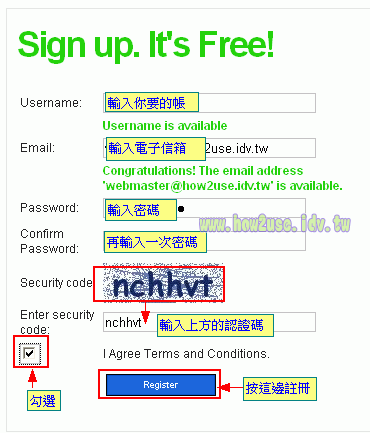
2.接著你會收到一封啟動帳號的信件,點選啟動連結就會進到你的帳戶內
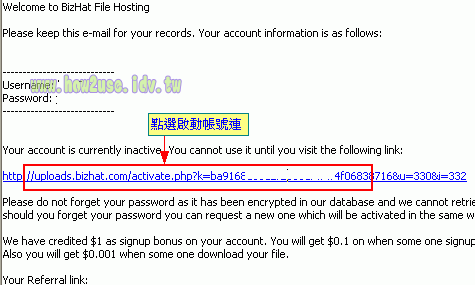
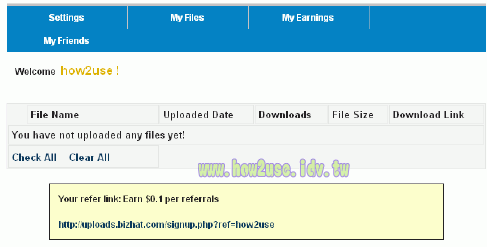
3.帳戶起始介面
【操作說明】
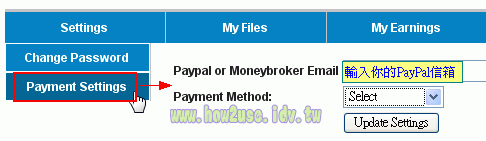
1.Settings內可以更改密碼(Change Password)及設定你的付款帳號(Payment Settings),!這時就必須要去申請免費的PayPal帳號,申請PayPal帳號很簡單,有中文介面免費就可申請到。
2.My Files可以上傳你的檔案(Upload File)及管理檔案(Manage Files)
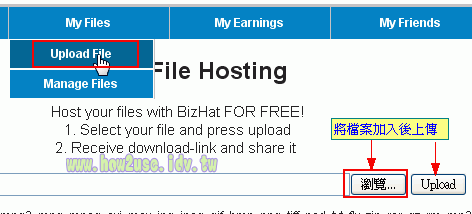
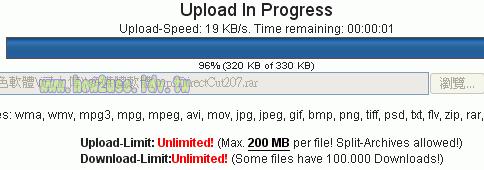
上傳檔案,選取檔案後上傳畫面:
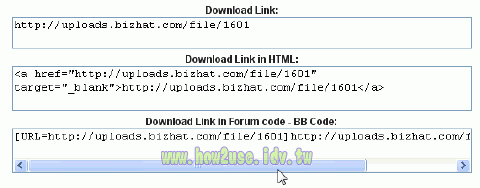
上傳完後會有三種連結控制碼可以選擇:
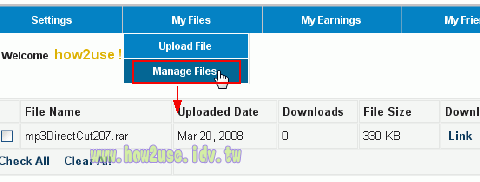
3.管理檔案介面:可以查看已經上傳的檔案被下載次數及查看連結控制碼
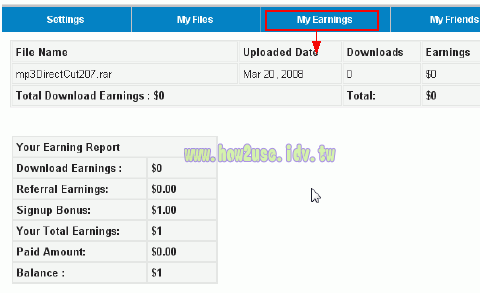
4.My Earnings可以查看你目前賺了多少獎金,可以用PayPal付款最低5美元就付款了!要取的款項必需要有申請一個免費的PayPal帳號,申請PayPal帳號很簡單,有中文介面免費就可申請到。
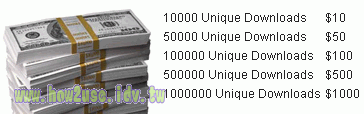
下圖網站上說明,每1萬次有效的下載就可得到10美元,5萬次50美元獎金。
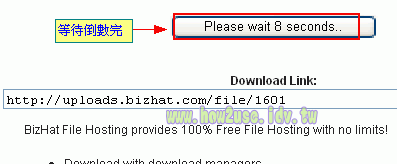
【下載說明】
1.等秒數倒數完畢
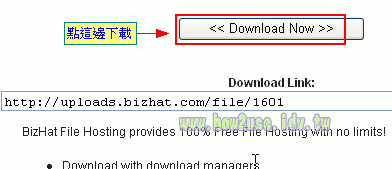
2.點選(Download Now)就可以下載了。蠻方便的不用輸出認證碼。
Pingback: 如何取得EasyShare空間付款
We are discontinuing payment program. No payments are provided for sharing files now onwards
檔案分享的獎勵計畫已經終止!
是啊,果然如此難付款,還是ziddu好用多了。
我前一天已經達到 5 美元,申請付款,
結果到現在一點消息都沒有。=.=
Your own download will not be counted.自己下再不算
You should not download same file again and again to get more payment, it will not work.自己重複下載不算
You will not get paid for automated file downloads. 自動下載檔案(像用gdl)不算
Do not upload illegal or copy righted files. 違法或有版權的不算
You will only get paid for download generated from other web site, forum or blog, download generated with short url will not be considered. 從其他網站論壇或blog下載才算,轉址的下載連結不算
Provide exact url of web site, forum or blog where you posted the files for sharing.提供分享的所有正確網站的網址
If you do not fill this properly, payment request will not processed沒有提供上述網站網址則不處理申請.
The url should be exact where we can see uploads.bizhat.com file download link posted. No payment will be given if short url is used for file download link. Links should not be password protected.網址必須精確到他可看到你用bh空間分享的分享檔案…轉址不算~連結不能有密碼保護~~換句花說就是封閉型論壇不算
Provide all web site urls where you posted the download links, if you have lot of downloads and have provided only few urls, payment will be rejected, try to include 5 or more urls.必須提供所有你分享檔案的網站網址~如果只有提供幾個~則不給錢~~
提出申請時必須提出至少5各連結
都被騙了 =\\\"=
的確限制太多,要取的付款真的太難了!
如果不談錢,至少空間是可以免費使用的!
這些提供下載付費的網站需要廣告有一定的收入才能夠支付這些錢,
一但收入不多大多都關站。
這一個網站提出這麼多的限制也不無道理的!
Provide exact url of web site, forum or blog where you posted the files for sharing.
If you do not fill this properly, payment request will not processed.
The url should be exact where we can see uploads.bizhat.com file download link posted. No payment will be given if short url is used for file download link. Links should not be password protected.
請問一下 ,上面這一段話是什麼意思呢?@@
Provide exact url of web site, forum or blog where you posted the files for sharing.
要提供給它們你將分享的檔案在發佈在哪些網站,論壇或是部落格的網址
If you do not fill this properly, payment request will not processed.
假如你沒有適當的填寫,將不進行付款
The url should be exact where we can see uploads.bizhat.com file download link posted. No payment will be given if short url is used for file download link. Links should not be password protected.
這些網址必需能夠確切的讓它們看到發表的uploads.bizhat.com的下載連結。假如使用縮短網址來連結下載位址將不被付款。連結不能夠被密碼保護住。
看來要讓它們付款要真的蠻難的,要依上面的規則才能夠取的付款。
Provide exact url of web site, forum or blog where you posted the files for sharing.
If you do not fill this properly, payment request will not processed.
The url should be exact where we can see uploads.bizhat.com file download link posted. No payment will be given if short url is used for file download link. Links should not be password protected.
要叫他付錢 恐怕不容易 看他的規定很嚴格
为什么我上传文件最大只有100MB的限制?
因為沒測試過超過100MB以上的檔案
所以這個問題我就不太清楚。
但是網站上寫的Max. 200 MB per file! Split-Archives allowed
應該可能傳到200MB,是不是你的檔案有超200MB使的只能上傳100MB限制